


Changelog

Everything new on Gameful

November 2026

The Gameful mascot pinning a note to a board beside a clay pin

Your live listings now have their own tools on the post screen, so you no longer need to find them in the feed.

You can bump, pin or delete a listing in one place. To change one, open it, edit what you're offering or looking for, and press Post. The new version replaces the old one in a single step.


The Gameful mascot looking through binoculars beside a clay magnifying glass

You can now search a game's community. Type in the search box on any community list to find the posts and questions you're looking for.

Questions also read more like a forum, with one clear row per question. Community now opens on Live chat, so you land where the conversation is happening.

We've made trade values more accurate and given active traders more room.

  • Or choices: When a side offers one item or another, each choice now shows its own total instead of adding them together. The listing builder and Discord listing cards read it the same way.
  • Win, Fair and Loss: Listings now judge a trade by the value type its items are listed in, rather than always using Proto.
  • Shady Scrip: You can include Shady Scrip in Fisch trades. Each one counts as S$1 on TrueVal.
  • Offer limit: Offers that have already been answered no longer count toward your hourly limit, which has risen from 10 to 30.
  • Item search: A misspelled item name still finds the item while you type.
  • Value changes: The Vote on this change button in Discord takes you straight to that change on the Changes page.

We've fixed a few issues with Roblox sign-in and the community pages.

  • Continue with Roblox no longer sends you back to "already linked" when your other account can't be moved.
  • The Questions page heading shows the game's name again.
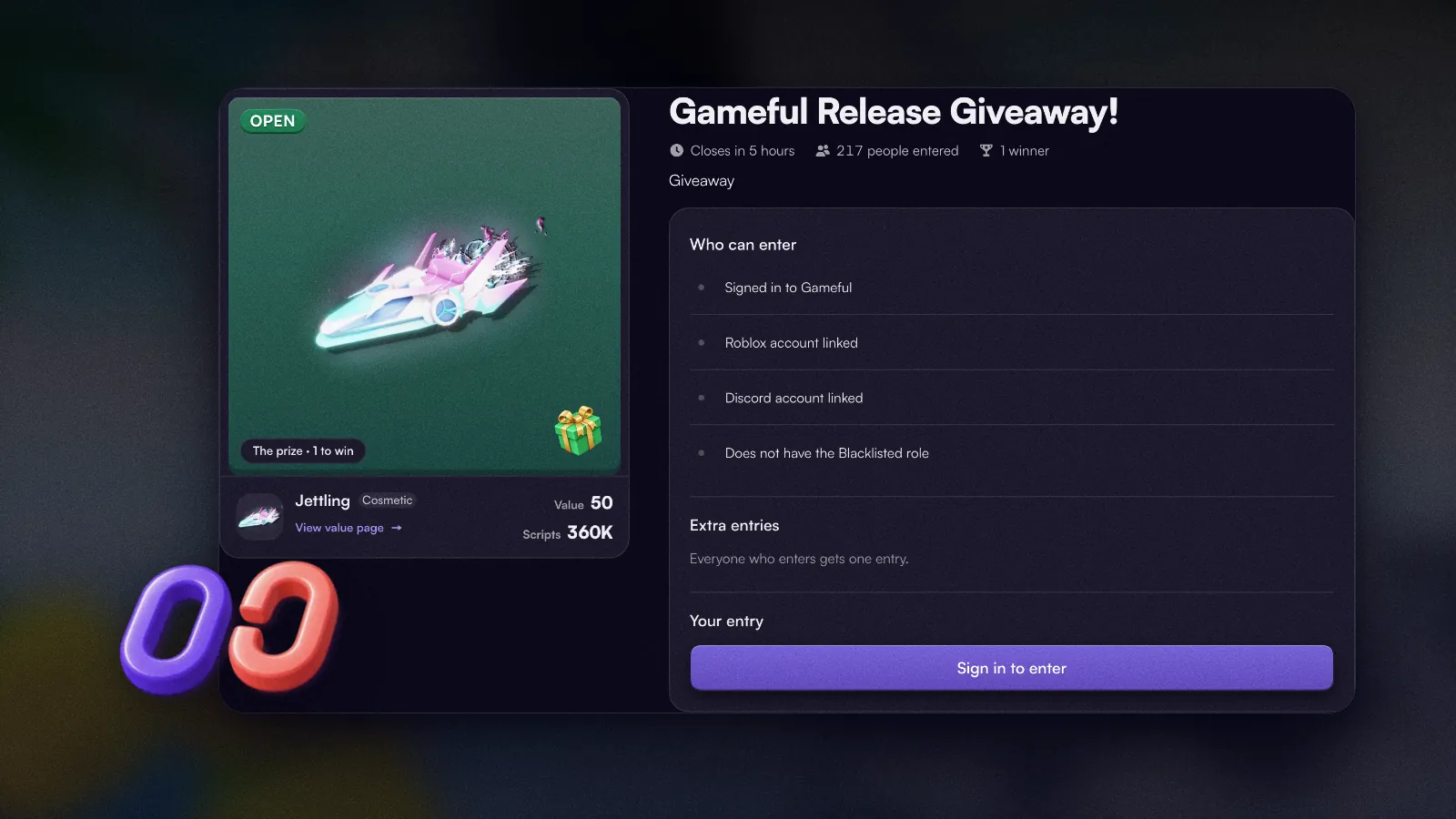
A Fisch giveaway page listing who can enter, including a linked Discord account

Giveaways now explain which entry requirements you haven't met and how to complete them.

If a giveaway requires Discord, you can connect your account or join the required server directly from the entry screen.

You'll also receive a private confirmation when entering through Discord, showing which giveaway you've entered.

Community chat has more room on mobile, fewer messages are blocked by mistake, and you can now attach screenshots and videos to your feedback.

  • Full-screen chat: Live chat now uses the full screen on mobile, and shared listings are more compact so they don't interrupt the conversation.
  • Fewer chat restrictions: Some messages that were previously blocked now go through with a brief warning instead. Links to Roblox and Gameful work again.
  • Usernames: More ordinary usernames are now accepted.
  • Listings: Cards stay the same size however many items they contain, and item variants show their tags more clearly.
  • Inventory: Pickers show all your items, not just the first 24, and search recognizes variant tags.
  • Values: Large values display more accurately. For example, 1.95M no longer rounds to 2M.
  • Feedback: Attach screenshots and videos when you send feedback, so you can show us exactly what you mean.

We've fixed a few more issues across Gameful:

  • Notifications without a page of their own no longer send you to your inbox.
  • "Matches for me" in Fisch correctly ranks listings based on the items you have and want.
  • Shared listings in chat now show pictures for "Looking for: Any" items.
  • Fixed the profile level ring being cut off by the online status indicator.
A clay shield with a green check beside a yellow warning sign

We've added new warnings to help you make safer trading decisions.

When a scam report has been confirmed and the appeal period has ended, a warning will appear on that trader's listings and offers.

We'll also alert you if a username closely resembles a Gameful staff member or someone you've traded with before, helping you spot potential impersonation.

The Gameful mascot waving beside a clay handshake

You can now see everyone you've completed a trade with in one place. Their listings and offers will also appear first when you're choosing who to trade with.

You can also thank someone after a trade. They'll receive a notification, and your message will appear on their profile.

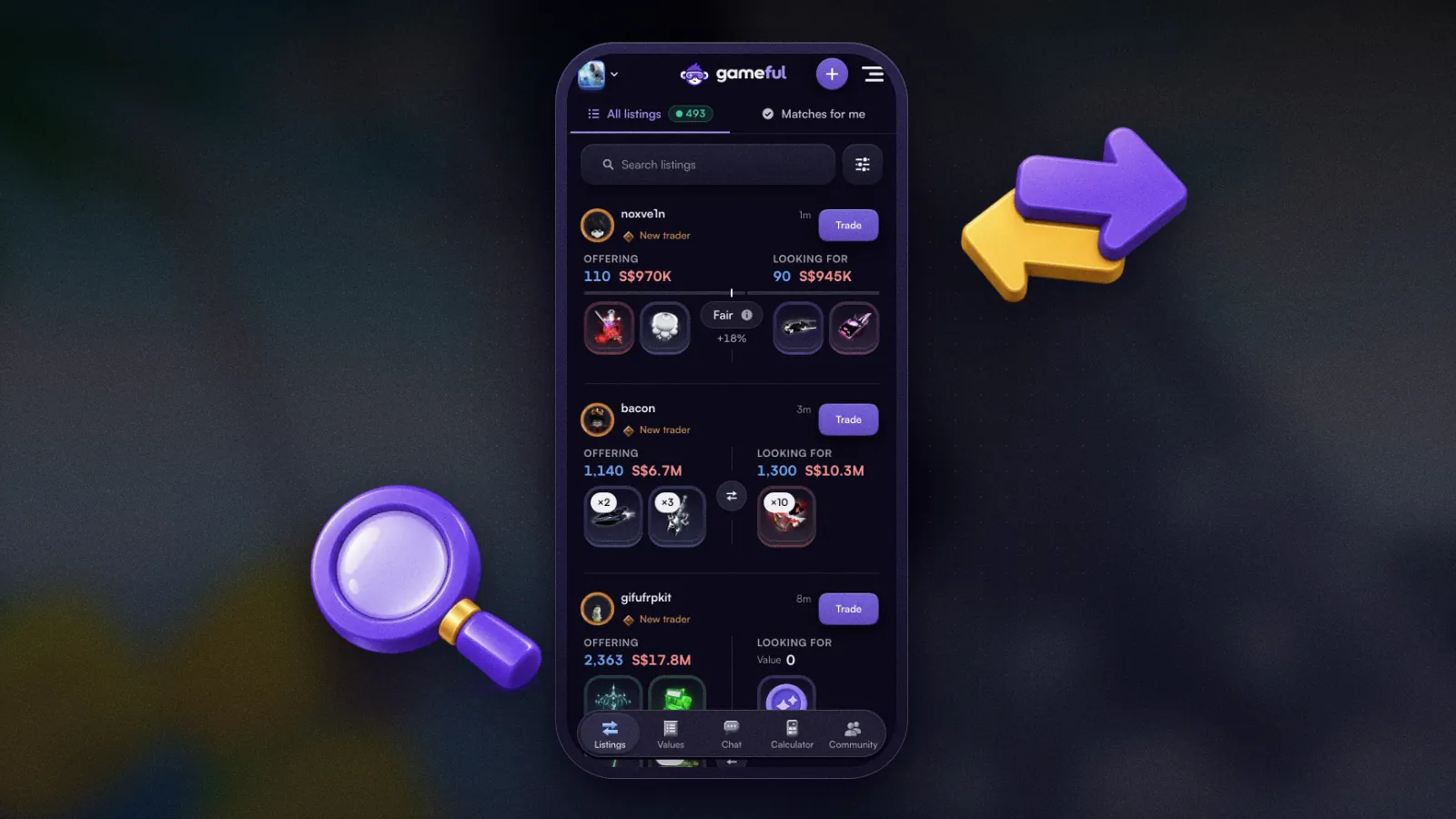
Fisch listings on a phone, with Filters beside the search box

We've made trading easier on mobile, cut down on repetitive notifications and improved how you browse games and item values.

  • Mobile trading: Filters are easier to access, trader information is clearer, and the listing form stays in place when your keyboard opens.
  • Notifications: Nonessential alerts are limited to once per game per day, with the rest in your daily summary. If you regularly skip them, we'll gradually send fewer.
  • All games: Each game shows live listing and member counts, with direct access to its listings, value list and calculator.
  • Faster on mobile: In our tests, images on the Fisch homepage loaded in 1.6 seconds, compared with 4.2 seconds previously.
  • Value history: See why an item's value changed and when it was last reviewed.
  • Better matching: You can select "Any" or an entire item category in "Looking for", and "Matches for me" takes it into account.
  • Cleaner layouts: Ads no longer cover important controls on listings, value lists or the calculator.
  • Roblox linking: You can move a linked Roblox account from an empty secondary Gameful account to your main one without waiting 30 days.

We've fixed several issues affecting sign-in, trading and Discord integration.

  • Fixed password confirmation on Linked accounts, and account linking on iPhone and Safari.
  • Fixed new members' listings not appearing on the feed straight away.
  • Restored the Discord Verified role after you link your accounts.
  • Restored the Appeal button on moderation messages from the Gameful bot.
  • Fixed the game selector not closing properly.
  • Corrected C/C labels on item cards.